0 moves0:000% placed
Your picture is read locally by your browser and never leaves the device - this page works offline once loaded.
Any image on your device becomes a real tabbed jigsaw, cut and solved exactly like the library puzzles - and the photo never leaves your browser.
Your picture is read locally by your browser and never leaves the device - this page works offline once loaded.
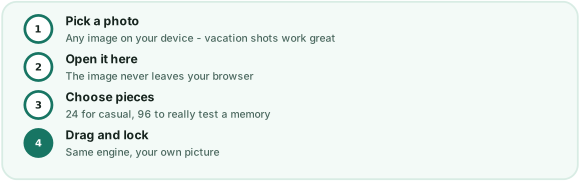
The uploader is deliberately boring in the best way. Choose a file, and your browser reads it straight into memory - there is no transfer step at all, because the page has no server to send anything to. The engine then cuts your picture into the same tabbed-and-blanked pieces the library uses: 12 pieces for showing a young relative how puzzles work, 24 for the standard game, 48 when the photo has enough going on, and 96 for the full experience of hunting the corner of a nose across a board.
Photo choice changes everything. Images with a clear subject, distinct color regions and good light produce the satisfying kind of puzzle - hard where it should be, fair everywhere else. Flat repetitive textures (a brick wall, a plain sky) are the expert mode: technically simple pictures, brutally similar pieces. Portraits of faces are the crowd favorite for a reason, and a photo of last summer's picnic table will start an argument about which corner the potato salad was in. Whatever you pick, the ghost preview is one toggle away, and the library's twelve illustrations are still there when you want a picture you did not have to choose. The daily puzzle remains the ritual; this page is the personal one.
The occasions that get the most out of this page are the personal ones. A photo of the family dog at 24 pieces is a birthday morning's worth of entertainment; a picture of last year's holiday rental at 48 pieces is a surprisingly emotional way to plan the next trip; a single painting your kid made, uploaded and cut into 12 pieces, is a classroom game that costs nothing and gets requested again by name. Grandparents do particularly well here: the engine asks no account of anyone, the pieces grab cleanly on a tablet, and the ghost preview quietly rescues eyes that would struggle with a real tabletop puzzle's tiny color differences. And because nothing uploads, nobody has to think about where the family photos went - they went nowhere, which is the correct place for them.
Nowhere. The file is read by your own browser in memory and drawn onto the puzzle board on your device. There is no upload, no server copy, no storage - close the tab and the picture is gone from memory entirely.
Sharp, well-lit photos with a clear subject and some color variety puzzle best. Very dark photos make pieces hard to tell apart; extremely wide panoramas shrink on the board. A normal 4:3 or portrait photo from a phone is ideal.
The same four counts as the library: 12, 24, 48 or 96. On a phone stay at 24 or below; on a desktop, 96 turns a family photo into a genuinely serious evening.
Only practical ones: modern phone photos (a few megabytes) load instantly, but enormous 50-megapixel originals may be slow to decode on older devices. A resized copy is fine - the board only draws at 800 by 600.